i daily drive an xfce4 ubuntu.
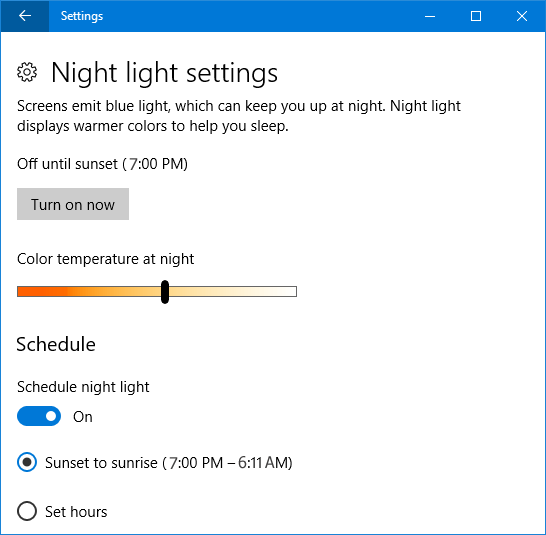
one thing that gnome or windows had by default were the “night light” feature
https://www.top-password.com/blog/wp-content/uploads/2018/01/night-light-settings.png (image of windows 10 night light)
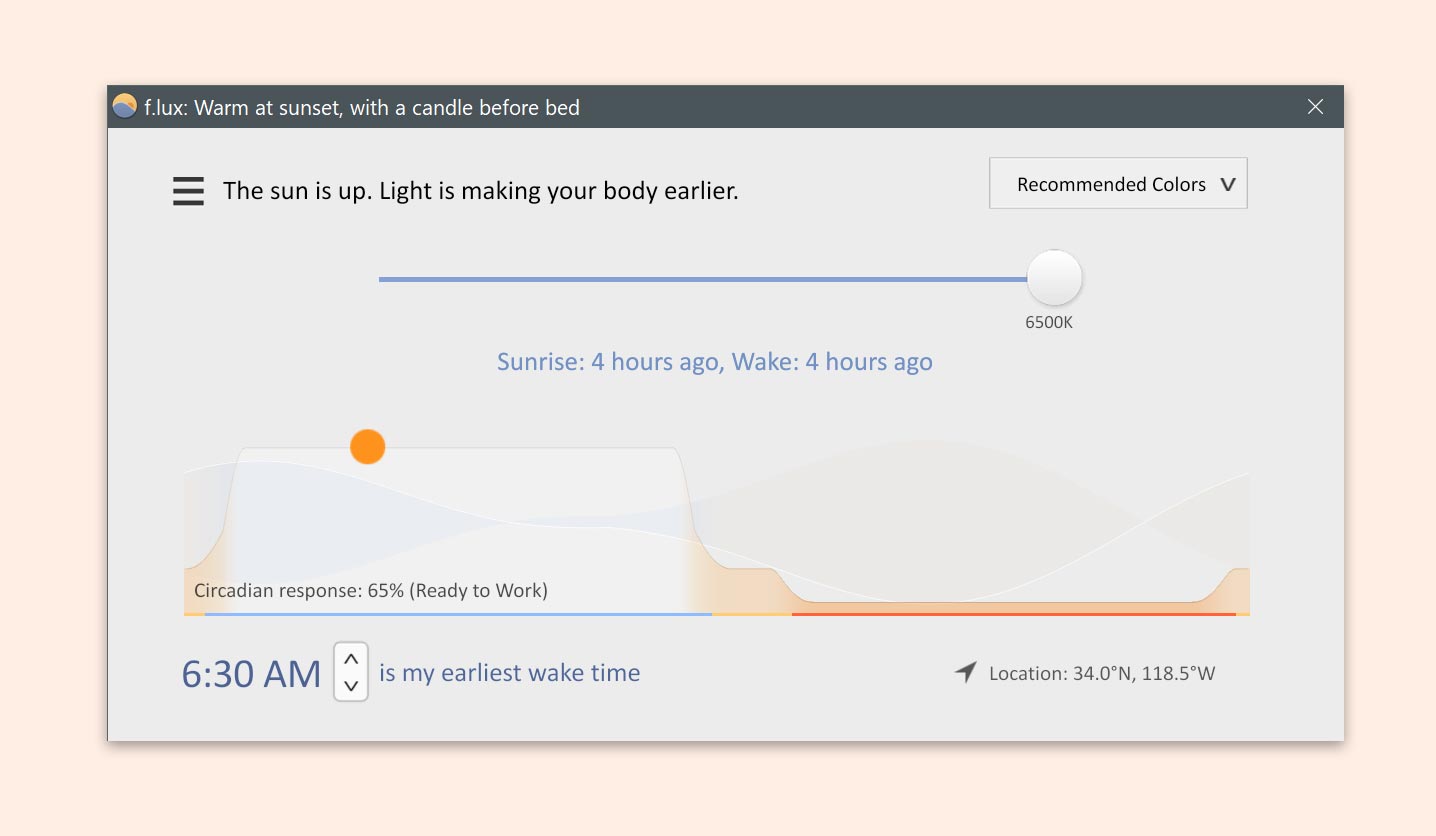
back in the days we were all using f.lux
https://justgetflux.com/images/flux-windows.jpg
on linux all i want is a minimal version of it. i dont want automatic night light calibration based on the time. i want it to be fixed, easy to config, no bloat (no js), minimal .deb to launch & run automatically on my xfce machine.
“xrandr”
xrandr –output eDP-1 –brightness 0.7
xrandr –output eDP-1 –gamma 1.0:0.85:0.7
ok thats pretty cool.
why go? i usually do typescript + node but i want this to be “bloat free”. a single exe as small as possible
as seen previously the x11 randr is a linux command but it has been exposed to golang using this package: https://pkg.go.dev/github.com/jezek/[email protected]/randr
before building i thought it would just be a red overlay over the screen 😅
your GPU has a lookup table sitting between your pixels and your screen. every single pixel passes through it before being displayed.
think of it as 256 slots, from black (0) to white (65535). normally it’s a straight line. input 50% brightness, output 50% brightness. boring. no tint.
normal:  input → output
slot 0:     0 →     0    (black stays black)
slot 128: 32768 → 32768  (mid stays mid)
slot 255: 65535 → 65535  (white stays white)
now we scale green to 85% and blue to 70%:
warm:    red     green       blue
slot 128: 32768 → 27852 →   22937
slot 255: 65535 → 55704 →   45874
we’re telling the GPU: “whenever you’d show full blue, show 70% instead.” every pixel on screen shifts warm. that’s it. that’s all night light is.
package main

  import (
        "github.com/jezek/xgb"
        "github.com/jezek/xgb/randr"
        "github.com/jezek/xgb/xproto"
  )

  func main() {
        conn, _ := xgb.NewConn()
        randr.Init(conn)

        root := xproto.Setup(conn).DefaultScreen(conn).Root
        screen, _ := randr.GetScreenResourcesCurrent(conn, root).Reply()
        monitor := screen.Crtcs[0]

        size, _ := randr.GetCrtcGammaSize(conn, monitor).Reply()
        n := int(size.Size)

        red := make([]uint16, n)
        green := make([]uint16, n)
        blue := make([]uint16, n)

        for i := range n {
                v := 65535 * i / n
                red[i] = uint16(v)
                green[i] = uint16(v * 85 / 100)
                blue[i] = uint16(v * 70 / 100)
        }

        randr.SetCrtcGamma(conn, monitor, uint16(n), red, green, blue)
}full go, i didnt really respect any convention in the folder structure, also i didn’t plan to support “wayland” on every DE as i don’t use them currently, but why not in the future.
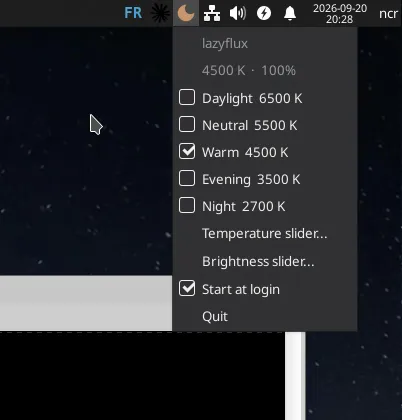
one thing i wanted is that software to be at the same time CLI & a systray app. best of both world where u can do it with cli like this
ncr iercancom ±|main ✗|→ lazyflux –help usage: lazyflux [temperature] [brightness]
& at the same time a systray
https://github.com/fyne-io/systray <– “fyne” provides this repo that does all the work for us :)
When you toggle “Start at login” from the tray, lazyflux just drops a tiny file at ~/.config/autostart/lazyflux.desktop:
[Desktop Entry] Type=Application Name=lazyflux Exec=/usr/bin/lazyflux Terminal=false
& that’s is basically. no systemd / init script
i only use debian based distros, what i like the most are .deb packages because i can just “dpkg -i” them & it works instantly. but at the same time i know there is way too many distros / architectures to handle. & i didn’t want to just throw “ok install go” in the repo as i am builidng it anyway statically.
this project “https://goreleaser.com/getting-started/intro/” is quite useful for this. i didn’t have to do a ci/cd to build it myself, i just used this premade solution (explain here) & each time i do :
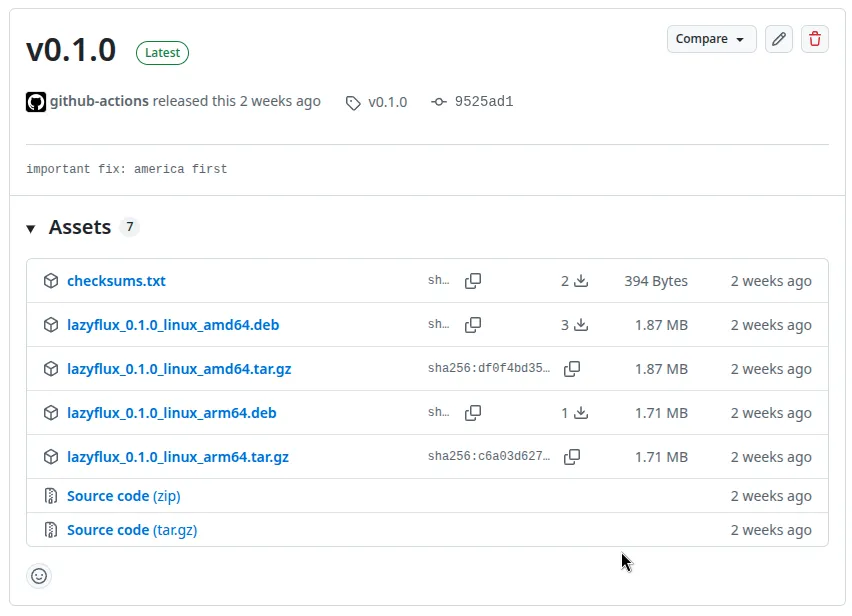
here is the repo: https://github.com/iErcann/lazyflux/
seeing how good the golang ecosystem is, i kinda like it more & more for little tools like this. i didnt push that much effort into it. otherwise i would have done some node.js lol!