
· 9 min read
A while back I found a hidden link on Google for a limited sale: a VPS in the US for $2/month. I bought it pretty much immediately, which is how I ended up owning 4 VPSes: 3 “proper” Hetzner ones in the EU and this “shady” one.
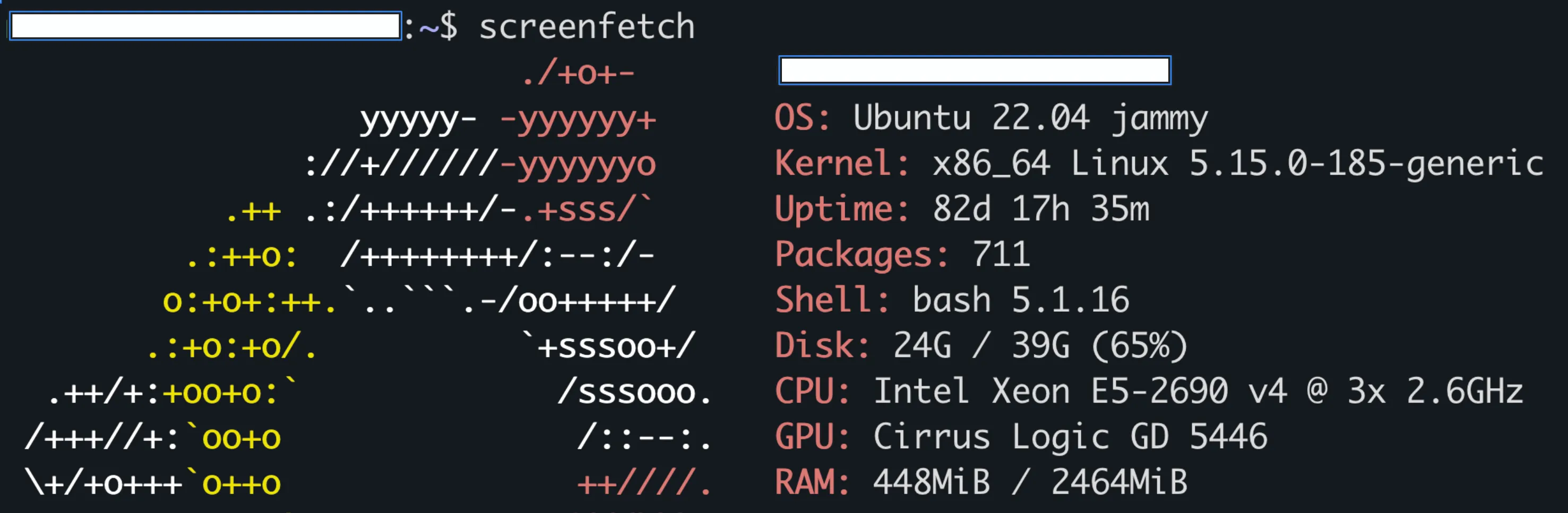
$2 is quite cheap, especially considering what AI is doing to hardware prices, and the catch is that the host “oversubscribes” its CPUs. My 3 vCPUs are shared with other people, so a noisy neighbour can steal my CPU time. It’s common enough that top has a column for it: st, “time stolen from this vm by the hypervisor”1.
It runs an old project of mine, notstrike (a multiplayer Counter-Strike game engine and WebSocket server), which is basically just a Caddy reverse proxy for SSL and a few Docker containers for the game servers:
CONTAINER ID   IMAGE                    COMMAND                  CREATED         STATUS                  PORTS                                                                                             NAMES
5820602e249c   us-game-server-1         "docker-entrypoint.s…"   12 months ago   Up 9 months             4011/tcp                                                                                          notstrike-server-eu-1
3214c954edc6   us-game-server-2         "docker-entrypoint.s…"   12 months ago   Up 9 months             4011/tcp                                                                                          notstrike-server-eu-2
9830c7ce706f   louislam/uptime-kuma:1   "/usr/bin/dumb-init …"   12 months ago   Up 9 months (healthy)   0.0.0.0:3001->3001/tcp, [::]:3001->3001/tcp                                                       uptime-kuma
e61f5e8016fe   caddy:2-alpine           "caddy run --config …"   13 months ago   Up 9 months             0.0.0.0:80->80/tcp, [::]:80->80/tcp, 0.0.0.0:443->443/tcp, [::]:443->443/tcp, 443/udp, 2019/tcp   notstrike-caddy-eu
Here’s the US server browser:
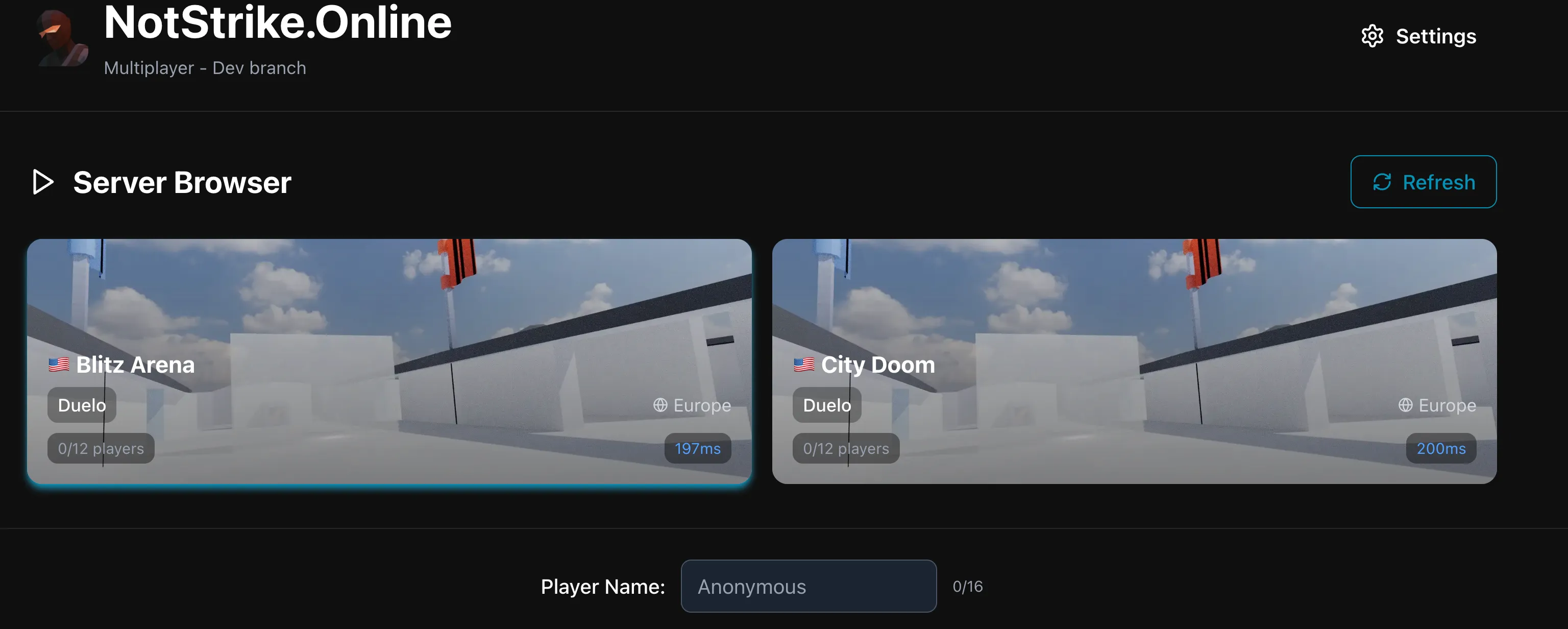
Honestly, it’s never given me any trouble. I just wouldn’t trust it with anything sensitive (the price is kind of the reason why).
securing a VPS
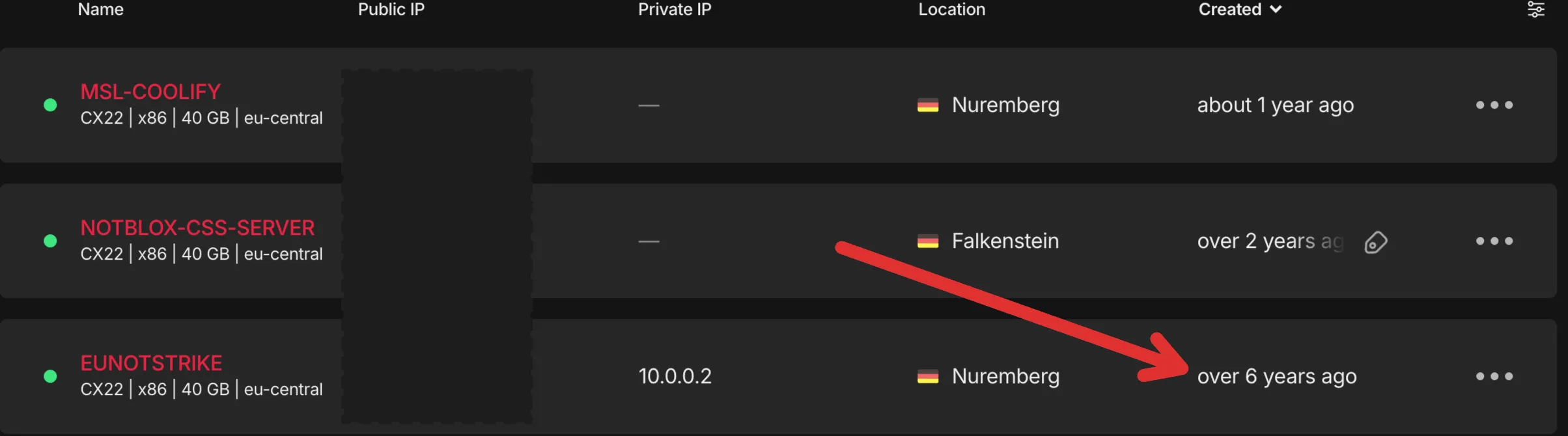
I’ve had VPSes for 6 years now:
classical ways of securing your vps:
- disabling root password authentication
- moving SSH off port 22
- installing fail2ban
- putting a firewall in front of it, at the Hetzner level
- not exposing databases (under Docker) on 0.0.0.0
- not running things as root
the new way
But the new way I do it (and many people do!) is Tailscale.
Tailscale puts all your devices on one private network (a “tailnet”) and lets them talk to each other directly over encrypted WireGuard connections, even through NAT and firewalls, without forwarding a single port. There’s still a central “coordination server”, but it’s basically a shared drop box for public keys, and the private keys never leave the device that generated them.
So I can close every port except 80 and 443, leave the firewall at the Hetzner level and drop SSH exposure completely. And on my own computer, tailscale status gives me a line for every device on my account with its Tailscale IP, name, owner and OS.
the danger
I was putting Tailscale on the shady VPS and thought, maybe I should actually check how this works before connecting it to all my stuff
Can the VPS SSH into my laptop? Into my other machines? if someone gets into this VPS, can they get into my other machines too? (or maybe I’m dumb, idk)
Tailscale’s docs even have a warning about it:
Although access control policies in Tailscale follow a deny-by-default security model, the default access control policy is to allow all devices within a tailnet to connect to each other.
Tailscale docs, “What devices can connect to or know mine?”2
here’s what Tailscale allows by default:
{
  "grants": [
    {
      "src": ["*"],
      "dst": ["*"],
      "ip": ["*"]
    }
  ]
}
The * source “lets any device or user start connections”, to any device, with any protocol on any port3.
So yes: with the default policy, the shady VPS can open a connection to any port on my laptop and on my other VPSes. A dev server on 0.0.0.0 or a database without a password would just answer 🥲
And SSH? A regular SSH server still asks for a key or a password. But on my VPSes I use Tailscale SSH (I just type tailscale ssh), and there’s no key or password there. Its server “already knows who the remote party is”, so it uses the SSH authentication type none, and the ssh rules in the policy decide who gets in4.
And if the VPS is logged in with my account, for Tailscale it’s one of my devices:
- it sees every other device I own, even the ones the policy doesn’t let it connect to2
- Taildrop (if it’s turned on) can send files between it and my devices, “even if access control policies are used to restrict access to the devices”5 (on macOS, they land in
~/Downloads)
my policy
I found tags while reading the docs. I hadn’t heard of them before, but they let me give the VPS different permissions from my laptop. Here’s the policy I ended up with:
{
  // who can tag (only admins so just me)
  "tagOwners": {
    "tag:untrusted": ["autogroup:admin"],
  },

  "grants": [
    // autogroup:member = devices logged in as a person. A tagged device isn't one, so this grant skips it.
    { "src": ["autogroup:member"], "dst": ["*"], "ip": ["*"] },
  ],

  "ssh": [
    // "check" = log in again in the browser before SSH, then you're good for 12 hours.
    {
      "action": "check",
      "src": ["autogroup:member"],
      "dst": ["autogroup:self"],
      "users": ["autogroup:nonroot", "root"],
    },
    // "accept" = straight in, Tailscale already knows it's me.
    {
      "action": "accept",
      "src": ["autogroup:member"],
      "dst": ["tag:untrusted"],
      "users": ["autogroup:nonroot", "root"],
    },
  ],
}
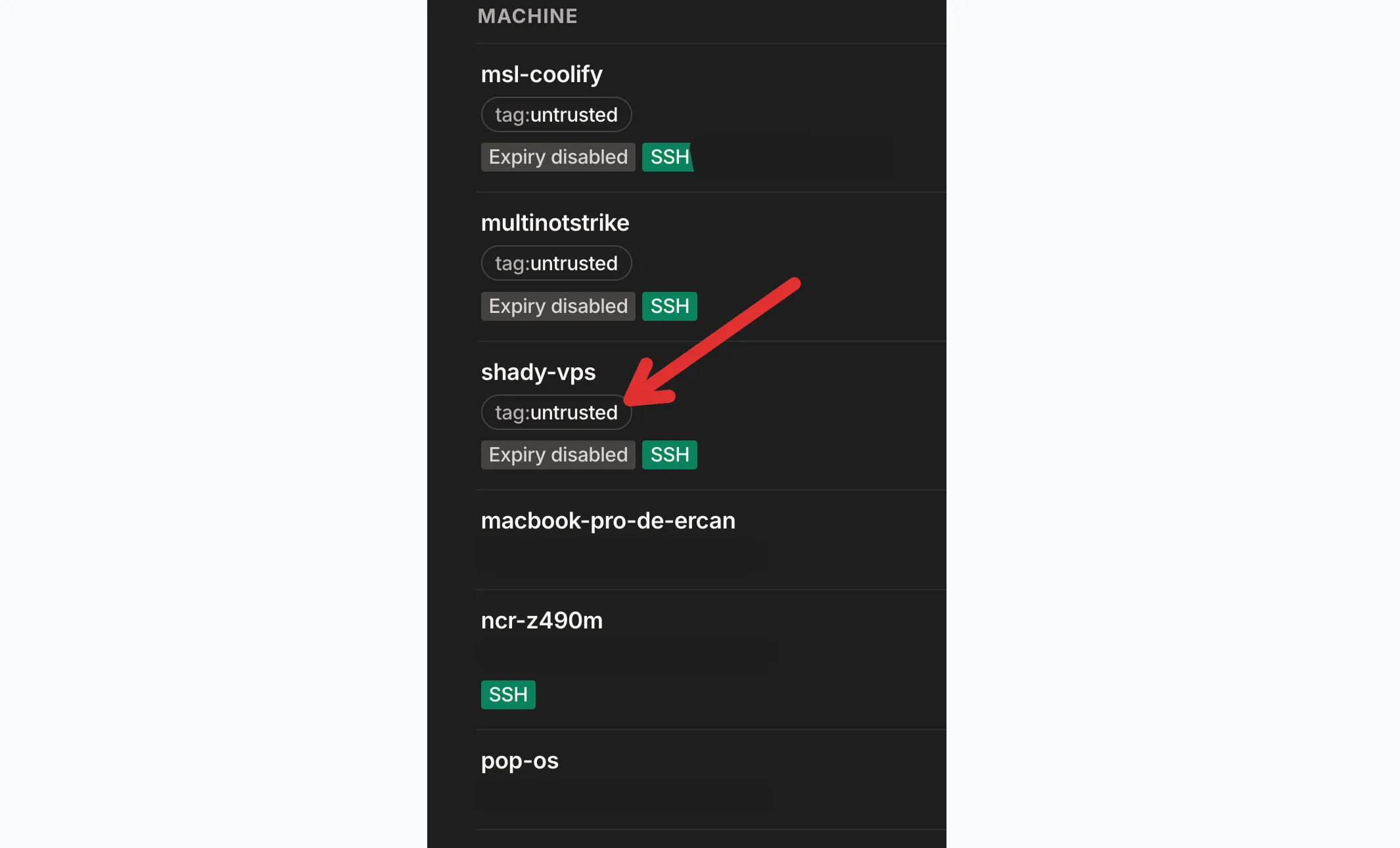
And then every VPS got the tag. Even the “proper” Hetzner ones: I trust them more, but they still have no reason to reach my laptop.
the tag
"tagOwners": {
  "tag:untrusted": ["autogroup:admin"],
},
When I logged in to Tailscale on the VPS, it got added to my account, like my laptop. So it counted as one of my devices, and could reach everything my laptop can, including my laptop.
Tagging it takes it off my account.
tagOwners says who’s allowed to put tag:untrusted on a device. Only admins, so only me.
the grant
"grants": [
  { "src": ["autogroup:member"], "dst": ["*"], "ip": ["*"] },
],
Grants are just allow rules: who can connect to what. There’s no “deny” rule, everything starts out blocked, so “the only possible action is accept”6. To block something, you just leave it out.
My one grant only lists my devices as the source, and the VPS isn’t one of them anymore. So it’s left out, and that’s the block. My laptop can still reach it (and the VPS can reply), the VPS just can’t start anything.
Even if someone hacks the VPS and tells Tailscale to ignore the rules, it doesn’t help them: my laptop checks incoming traffic itself.
the SSH rules
"ssh": [
  {
    "action": "check",
    "src": ["autogroup:member"],
    "dst": ["autogroup:self"],
    "users": ["autogroup:nonroot", "root"],
  },
  {
    "action": "accept",
    "src": ["autogroup:member"],
    "dst": ["tag:untrusted"],
    "users": ["autogroup:nonroot", "root"],
  },
],
The first rule is Tailscale’s default, and it’s mostly there for the “someone stole my laptop” case: SSH into my other devices needs a fresh browser login every 12 hours, so a thief gets cut off from SSH pretty fast (not from the other ports though, that’s what the grant is for).
The second rule is pure convenience: from my laptop, I SSH into my VPSes without any key, password or browser, because Tailscale already knows it’s me.
on the vps no rule lets it SSH anywhere, so it can’t.
the test
ok enough talk does it work?
I SSHed into the VPS (tailscale ssh ncr@shady-vps) and tried to reach my MacBook from there. First, tailscale ping:
$ tailscale ping --c 3 --timeout 3s macbook-pro-de-ercan
pong from macbook-pro-de-ercan (100.72.247.81) via [my home IPv6]:41641 in 26ms
It finds it, which confused me for a second. Turns out tailscale ping only checks whether the two Tailscale clients can find each other, it doesn’t send any real traffic. With --icmp it sends a normal ping through the tunnel, and this time my Mac drops it:
$ tailscale ping --icmp --c 3 --timeout 3s macbook-pro-de-ercan
ping "100.72.247.81" timed out
ping "100.72.247.81" timed out
ping "100.72.247.81" timed out
no reply
SSH times out too:
$ timeout 20 ssh -o BatchMode=yes -o ConnectTimeout=5 iercan@macbook-pro-de-ercan true
ssh: connect to host macbook-pro-de-ercan port 22: Connection timed out
And tailscale ssh iercan@macbook-pro-de-ercan just hangs until timeout kills it, 20 seconds later.
(Nothing listens on port 22 on my Mac anyway. From the Mac itself it says “Connection refused”, but from the VPS it’s “timed out”, because the packets never even reach macOS.)
The other way around works fine. From my Mac:
$ tailscale ping --icmp --c 3 --timeout 3s shady-vps
pong from shady-vps (100.124.31.123) via ICMP in 31ms
what’s left
risk 1: it still sees my devices
If I run tailscale status on the VPS, I can still see my laptop and my other computers. They’re allowed to connect to it, so it knows about them2:
$ tailscale status
100.124.31.123  shady-vps             shady-vps.<tailnet>.ts.net  linux  -
100.72.247.81   macbook-pro-de-ercan  me@                         macOS  active; direct [my home IPv6]:41641, tx 66272 rx 62936
100.82.19.89    ncr-z490m             me@                         linux  offline, last seen 1h ago
100.76.7.249    pop-os                me@                         linux  offline, last seen 1h ago
If that bothers you, only let the devices that need the VPS connect to it.
But a VPS can’t see other VPSes! My other VPSes are tagged too, and no grant lets a tagged device connect to another one, so they don’t know about each other2.
risk 2: my own connections
The VPS can’t start connections, but my browser can, and my laptop can reach everything.
With a trick called DNS rebinding, any website I open can point its own domain at one of my tailnet IPs, and the browser then lets its JavaScript talk to that device as if it were the same site. That’s not specific to the VPS, but the VPS makes it easier: I actually open pages it serves, and it already knows my tailnet IPs (risk 1).
Tailscale’s best practices mention this one: “a Tailscale node visiting a malicious web page can be triggered to run a client-side script and attack other nodes in the tailnet”7.
risk 3: my Tailscale account
Whoever gets into my Tailscale account can rewrite the policy, remove the tag or add devices. Tailscale recommends MFA on your login, “ideally using a hardware token”7.
And if you don’t trust Tailscale itself: with Tailnet Lock, a new device needs a signature from one of your devices, so Tailscale can’t add one behind your back8. The policy still comes from Tailscale’s servers, though9.
risk 4: my own devices
if someone gets into my laptop, they get root on every VPS too. the tag doesn’t help here: I allowed that laptop to SSH into all my VPSes, so whoever’s using it can too.
I could make Tailscale ask for a browser login before SSHing into a VPS. That’s what check does, and Tailscale recommends it for root7:
     // SSH into untrusted machines.
     {
-      "action": "accept",
+      "action": "check",
       "src": ["autogroup:member"],
       "dst": ["tag:untrusted"],
       "users": ["autogroup:nonroot", "root"],
     },
With check, SSH asks you to log in again in your browser, and then you’re good for 12 hours. (i mean, if they have access to your computer, they can also just use your browser to accept this, but you get the point.)
that’s all!
So, should you put Tailscale everywhere? I’d say yes, as long as every machine you don’t trust gets a tag, and that tag isn’t allowed to connect to anything.
more details here: What devices can connect to or know mine?
Footnotes
-
Tailscale docs, What devices can connect to or know mine? ↩ ↩2 ↩3 ↩4
-
Tailscale docs, Grant examples: Allow all ↩
-
Tailscale docs, Tailscale SSH ↩
-
Tailscale docs, Syntax reference for the tailnet policy file ↩
-
Tailscale docs, Best practices to secure your tailnet ↩ ↩2 ↩3
-
Tailscale docs, Tailnet Lock ↩
-
Tailscale blog, How Tailscale works, March 2020. ↩