
· 3 min read
We’re in October 2026 and the number of CVEs dropping this week is insane.. here’s the count per month:
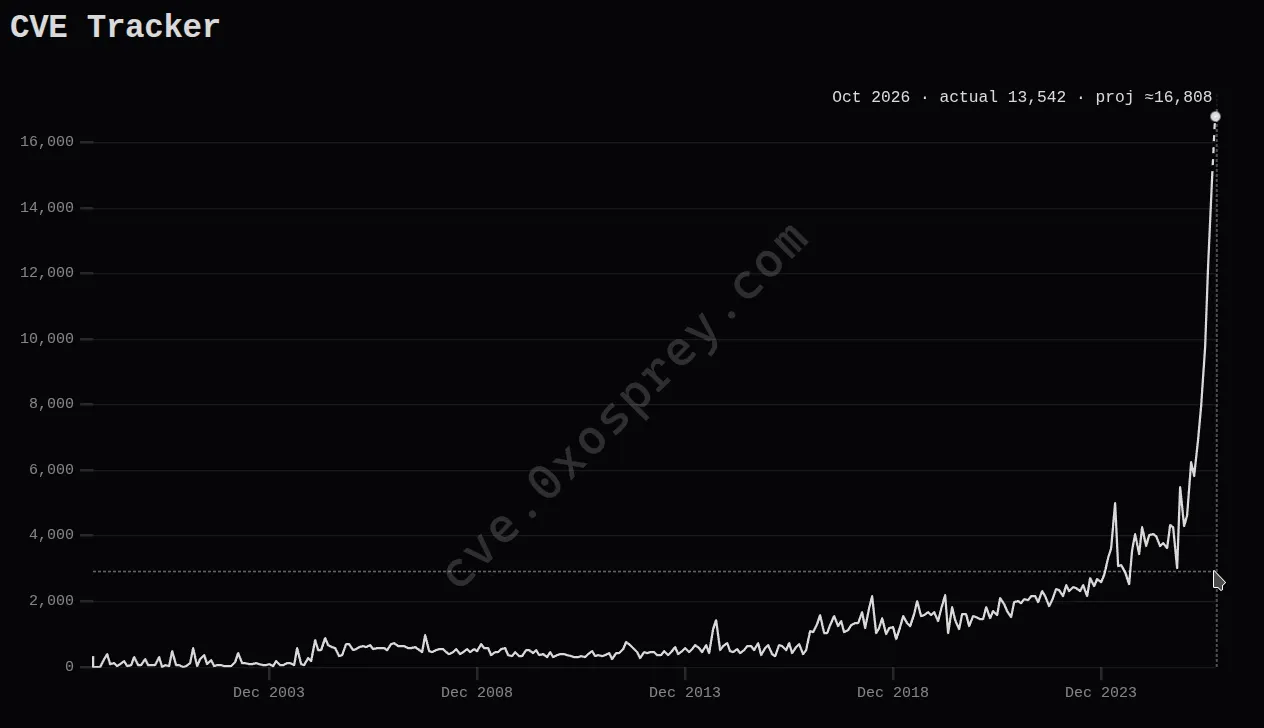 13,542 CVEs in October so far, and the month isn’t over
Most important ones for me:
- PHP2Shell (RCE)
- Node2Shell (pre-auth RCE via Brotli decompression)
- Linux CVE-2026-99999 “PwnEscape” (VM escape)
Let’s upgrade everything I run.
PHP
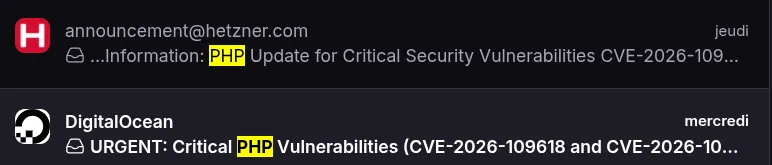
I’ve got servers on DigitalOcean, AWS, Hetzner & OVH. If you’re on any of those, you may have received emails asking you to update your PHP:
I run a ~3 year old WordPress I’ve never updated. it’s on OVH, I took their web hosting offer just to get it working instantly. I usually never run WP since I don’t like its interface, and I always end up having to add PHP/JS myself anyway.
You can upgrade PHP right from the OVH panel:
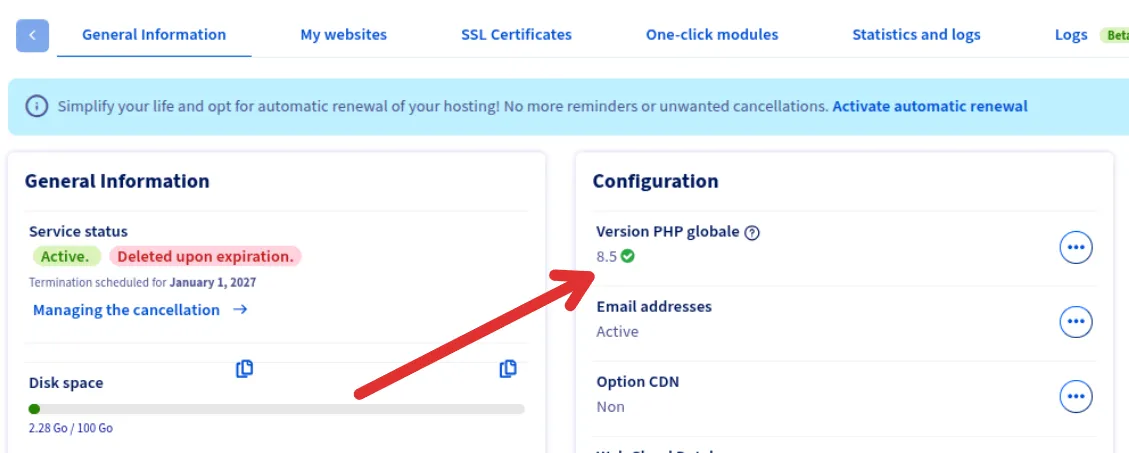 I was running PHP 7.x, updated it here
But the problem is that now I have to get my WP plugins working with the new version, and really I don’t want to maintain this anymore.. it’s a static website that just has an email form and that’s it. it could have been static HTML/Astro and run forever. also cheaper!
bye bye WordPress
AI is very powerful nowadays: I asked Claude to clone my own website with raw HTML + Astro, and it basically one-shotted it…
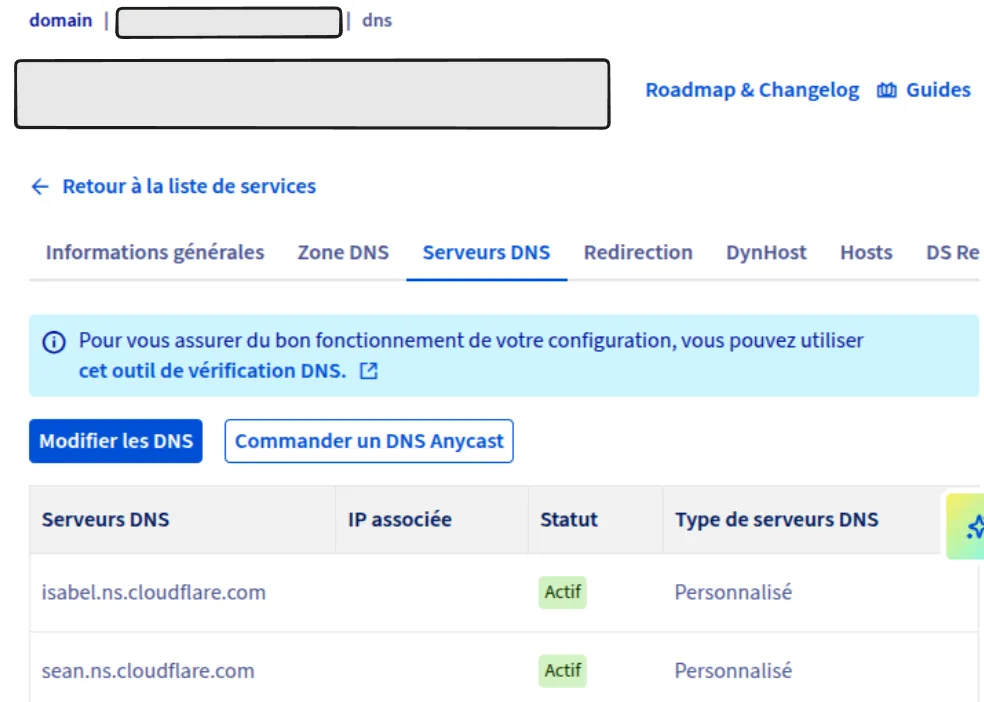
I put it on Cloudflare, like this blog: nameservers change + DNS changes. Cloudflare has such a good UI for DNS.
The domain itself stays at OVH, only its nameservers point to Cloudflare now:
sending emails
I still need the form to send emails. But there’s no 24/7 server like I had on OVH anymore, just a Cloudflare Worker (code that only runs when a request comes in). And I don’t want to send emails to my clients from a random address, I want them to come from [email protected].
this can get boring, but again Cloudflare has a drop-in integration with Resend. I recommend reading this tutorial, it helped me a lot.
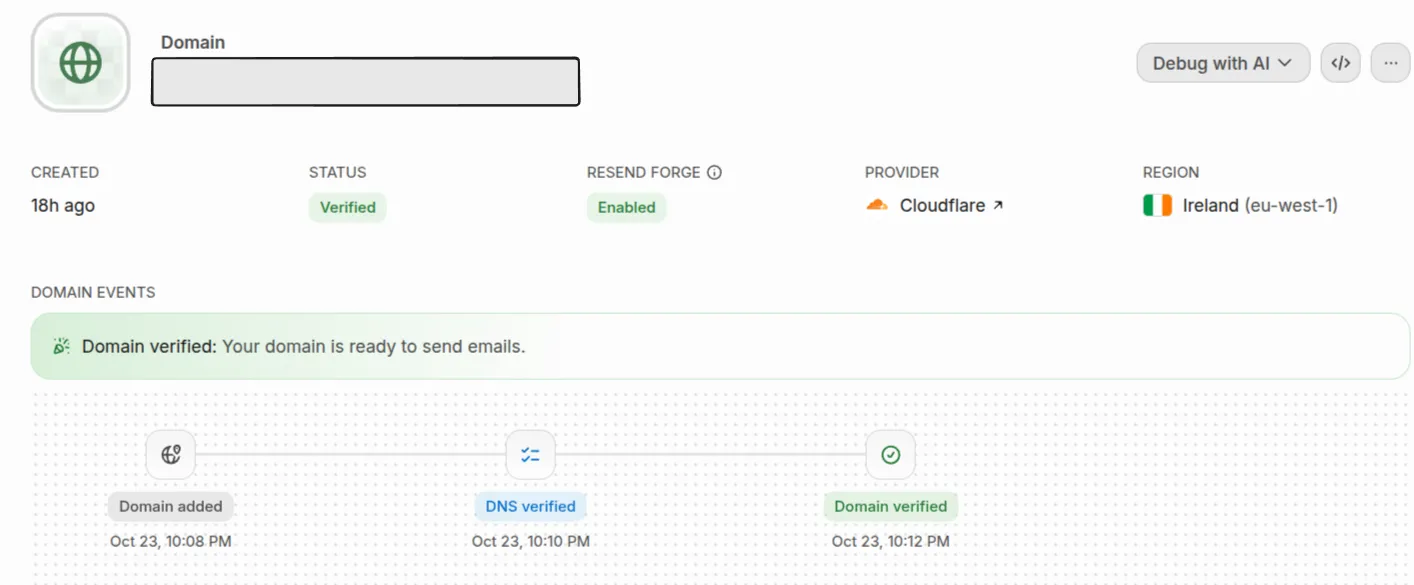
It took 4 minutes from adding my domain to “Domain verified”:
what about spam?
what if a random dude comes to the website and tries to use the form in a loop? I mean, I didn’t have to think about that with WPForms.
Cloudflare has something called Turnstile that you may have seen on many websites: it’s their captcha. They also have a rate limiter built into Workers..
It can seem weird, but the RateLimit object lives in your worker’s env, kinda like a Redis bucket you would use for rate limiting. To get it there, you add this to your wrangler.jsonc:
"ratelimits": [
  {
    "name": "DEVIS_LIMIT",
    "namespace_id": "1001",
    "simple": { "limit": 5, "period": 60 }
  }
],(DEVIS is French for quote, it’s a quote request form.)
Then it’s just one more field on Env:
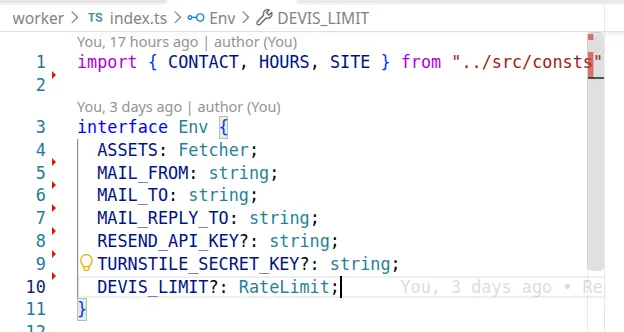
Example of usage:
interface Env {
  DEVIS_LIMIT: RateLimit;
}

export default {
  async fetch(request, env): Promise<Response> {
    const { pathname } = new URL(request.url)

    const { success } = await env.DEVIS_LIMIT.limit({ key: pathname })
    if (!success) {
      return new Response(`429 Failure, rate limit exceeded for ${pathname}`, { status: 429 })
    }

    return new Response(`Success!`)
  }
} satisfies ExportedHandler<Env>;
I won’t bore you more with this, the captcha is straightforward too if you follow their docs.
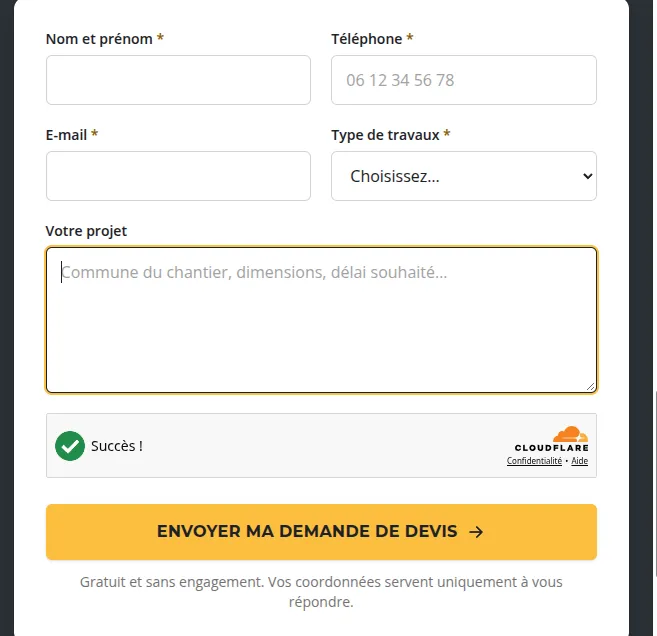
tldr: the widget runs a few checks in the visitor’s browser (no “click on all the traffic lights” puzzle) and puts a token in the form. My worker sends that token with my secret key (TURNSTILE_SECRET_KEY in the Env above) to Cloudflare, and only sends the email if Cloudflare says it’s valid. A token works once and expires after 5 minutes, so a bot can’t just reuse one.
here’s the form, the widget is the box above the button:
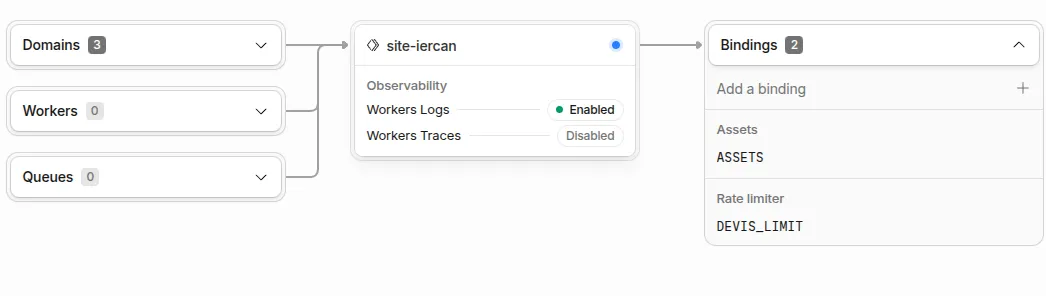
and here’s the worker in the Cloudflare dashboard, with its 2 bindings: ASSETS (the static site) and DEVIS_LIMIT:
the result
Compared to the WordPress I had on OVH, this is way way faster:
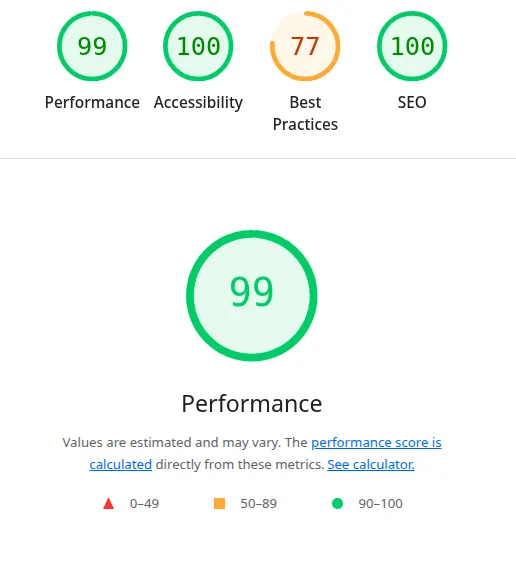
And I’ve got full control over it. I don’t think it makes much sense to use a WP panel anymore when I can just ask an LLM for design/UI changes in natural language and straight up push (for a static website like this one at least :) )
Linux
AWS side
sudo dnf upgrade -y --releasever=latest
sudo reboot
Hetzner/DO
apt-get update
apt-cache policy linux-image-amd64
apt-get -y full-upgrade
reboot